
Everything’s Under Construction
 Admit it you have been making a website, got bored, thought “sod it, I’ll come back to it” and thrown an image like the one to the right. Why? Is it because that coding HTML is as backbreaking as manual labour, or you feel the need to throw something up before it was ready, and think “at least it’s getting spidered”.
That’s very true, but the icon to the right is got as much to do with website design as Paris Hilton has with NASA. It’s just the look screams to potential readers “We design websites like it’s 1996”.
Or maybe, more likely, is that nothing online is ever finished. Take my blog (yes, I had to get a plug in somewhere), recently I launched a new site design which, despite achieving wasn’t quite there. It took a comment from a brave girl (she was brave, she criticized) called Celeste to put the finger on what was troubling me.
It was too busy.
Yes! That was it! Fantastic. I spent a few hours therefore this evening going through the template, stretching out the content and tidying up the god awful comment box. Now I am content, and I can get on with blogging.
Of course, if you spot anything on your travels, please do. Like I would with yourself. Therefore, we won’t need to wait with baited breath for your new site whilst a man shovels away at an endless pile of rubble.
Rhys Wynne is a 5 year blogger, 10 year web designer, and regularly wolf-whistles at attractive ladies whilst coding HTML. You can read more from him at The Gospel According To Rhys, or even talk to him on his forum.
Day Planner Giveaway
It’s time for another Blog about your Blog competition. However this one won’t be as long as the last. I’ve decided to close this contest Tuesday July 17th. Now on to the prize.
 Recently I received a day planner for attending a make money online conference. Now I am going to pass this along. I couldn’t find the exact image of it, but this is something close.
The day planner has a cell phone pouch, calendar, address book, pen, and a wallet type holder. It’s pretty much anything you need in a day planner.
There will be a few ways to win. The draw will be lottery style and I will make another youtube video of the drawing.
To enter you can leave a comment. That will count as one entry (one comment counts per person). Blogging about the contest will give you two entries. The other way to enter is by subscribing to our RSS feed.
Anyone can enter, even Blog about your Blog authors. The drawing will be completely random as mentioned.
Let the games begin!
Update: If you stumble this post it will also get you an entry! (remember only one comment counts towards your entry)
U.S only (sorry!)
Some digital day planners can include computer software to assist in even relatively advanced daily functions like bookkeeping. Because of the security concerns these goodies come loaded with anti virus software and have got capabilities to store, process and retrieve volumes of software data. By making use of various software scripts, similar to built-in any modern mobile phone software, these day planners are quite handy and beneficial.
9 Reasons to Use a Desktop Blog Editor
I was a happy camper using the WordPress Rich Text Editor when I started blogging. But, as time went by, like a caveman discovering tools for the first time, I explored desktop blog editors. Performancing for Firefox was my first stint with an editor other than WordPress. But, soon I could see the productivity I gained from a desktop editor.
- Write offline: You can write and save drafts even when you are online. You could do this in a notepad or a text editor you like, but with a desktop editor all you have to do is to hit Publish as soon as you have an internet connection. No copy-paste.
- Manage multiple blogs: If you write to multiple blogs, own or guest authored, you will know the pain of having to switch to different admin tabs to post. With a desktop editor, it is as easy as a simple toggle!
- Rich formatting: Depending on the editor you use, you may end up getting additional
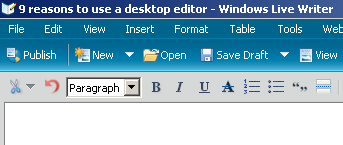 formatting options than what you get in the WordPress editor. For eg: Adding tables to your posts is so easy with Windows Live Writer.
- Image Management: Provides better image management such as adding effects, resizing, rotation, etc.
- Easy editing: Text or code view, if you write long posts, it is much easier to do the editing in a desktop application than the window in a browser even if you could resize the length of the box in WordPress, nothing beats the full screen text window option available in some desktop editors.
- Quick View of Posts: Again, it is very easy to very quickly view your recent posts, drafts, etc from multiple blogs from one interface.
- Preview: Current WordPress release have taken this functionality away but you could add this back with a WordPress plugin. Web preview of posts comes standard in most editors.
- Spell Checking: Again could be achieved in WordPress with a plugin but comes standard in desktop editors.
- Integration: Most desktop editors offer tight integration with various web services such as Technorati tags, del.icio.us, Flickr, YouTube, etc making inserting tags, bookmarks, pictures, videos, etc. from these services in a post a snap.
A couple of good free desktop editors are Windows Live Writer and Post2Blog if you would like to try one. If you use Firefox, Performancing for Firefox, now renamed to ScribeFire could be your first stop like mine before trying an all out desktop editor.
What editor do you use? Have I missed a better reason to use a desktop editor? I’d love to hear it.
This is my first post here and glad to be contributing back to the great community here. Thanks Mathew, for the opportunity to connect to your wonderful readers.
I also write more technology related topics at ShanKri-la – where technology meets daily life!. My goal is to make your life on the Internet a little bit easier, a little bit manageable and a little bit more enjoyable.
Weekend Contests
I figure I will do this every sunday. Link and enter a few contests. I also won a contest! Last week I blogged about Steve’s Tech blog’s contest, and I won 25$ because of it. It was a nice surprise to wake up to yesterday, I’ve already been paid! He officially announced his winners today.
In other contests:
At blog contests you can win 100$ just for blogging about them. The contest ends July 12th, so make sure to get your post about them. To enter, go to their contest page.
Our friends at John Cow are hosting a 100$ competition. The competition is just like the one Kumiko just finished on her blog. By blogging about it and telling you that they can help you make mooney online I’ve already got 50 tickets! Now give me the milk money!
Brandon Hopkins is giving away an iPod shuffle on August 1st. To enter just link to his post and to the sponsor site about free business cards and you can win. An Ipod Shuffle is a great prize, if I can keep Emma from stealing it from me if I win, it could be a great prize for BAYB.
That’s about it for today. Sadly we didn’t win anything from Ryan’s 777 Contest. All those winners and I got nothin’! He is sooooo off my buddy list!…
If you are hosting a competition or contest on your blog, let us know, we might just blog about it! We DO take bribes!
Three Steps to Keeping your RSS Feed Readers
Once a reader subscribes to your blog, it is your job as the blogger and author to keep them interested and engaged in your content. They obviously subscribed for a reason, so you have to keep them coming back. There are a few ways to do that.
Daily Content
Offering daily content is definitely the best thing to do, to keep a RSS feed reader. Once you publish an article that information is sent to them via email, feed reader, blog lines, whatever they subscribed with. The more you publish the more they will come back to your feed. Trying to average a post a day is very good practice. If you can’t do that participate in meme’s or perhaps Blog Roundups where you link to other blogs.
Offer a Full RSS Feed
I usually unsubscribe to a blog only offering a partial RSS Feed. I subscribe to blogs via RSS feed for the ease of it, not to visit a blog after reading half of an article. Blog about your Blog offers a full rss feed.
If you want me to visit your blog, offer a Full RSS feed, and an engaging article. Or simply, offer incentive.
Incentive?
In previous articles I have stressed how important it is for a blog to have incentive. Incentive for a reader to continue visiting your blog. There are millions of blogs on the internet, why is yours better?
Offering incentive to your readers is pretty easy once you figure out what it is you want to give. Whether it’s free links, prizes, money, advertising or participation on their blog, you can really start building more readers.
For example our comment friday gets 10-25 comments per friday generally. The incentive for commenting? A free link. I chose one comment and link to that persons blog. They get put on our blogroll for a week and get mentioned in an article. By offering incentive, we get several bloggers who come back each and every friday, sometimes before the article is even published!
If you follow those three steps not only will you continue to keep your RSS feed readers, you will continue to build your readership base.
While setting up your blog site, paying proper attention to the general website design is very important. A simple layout helps keep the RSS readers and saves their time and effort. For a novice, learning the web design basics is not any tough with the help of online tutorials and well-read web design books.
Comment Friday Winner: Shankri-la
This week I have chosen K-InTheHouse from Shankrila as our comment friday winner! I tried to check to see if they had won before, but I don’t think so. Surprising though, K-InTheHouse has been participating in Comment Fridays for some time now. He has also become our newest Blog about your Blog author so I saw it fit to declare them as the winner. A great way to announce an addition to the team. He should have an article up Sunday Evening, so be ready for that.
I hope everyone had a happy 4th, even if you aren’t from the U.S and don’t celebrate it. We’ve been pretty busy for the week, but I have an article about keeping your RSS feed readers for later today. The entry will also be entered in the Daily Blog Tips “three project”.
Comment Friday for July 6th
 It’s Friday already and here I am late again on Comment Friday. Last week I offered anyone who commented, that I would subscribe to their RSS FEED.
This week I am interested in knowing what you did on July 4th this year. I’ll tell you what I did in the comments. It was my 2 year old son’s first firework show!
I will also visit your blog and stumble it, so hopefully you will get some additional traffic! Free traffic for commenting! Can’t beat that.
Hope everyone had a great and happy 4th, let’s get to the comments!
How to Blow Up Your Blog . . . and Live to Blog About it!
OMG! What a terrible time I had with my blog today!!!
Ironically, I was reading the previous post on BAYB about the TITLE tag. A word to the wise, don’t mess with your permalink structure unless you know what you’re doing.
Long story short, I had to basically start fresh with WordUp. After much stress and blindly tyring whatever I could, I survived and think there is a happy ending to the story. You can read more here.
But Gary, I must confess: while your post was the trigger, the gun was loaded much before your inspired me to try something I had no business doing. 🙂 Believe it or not, I still plan to revisit your advise at some point!